Delivery location
Canada
Language


 12044105251
Cart
Speak Any Language with Vasco Translator
[index.doublebox1.img1.alt]
tutorials
A woman is talking to a taxi driver in a car, using voice translation to communicate.
Asking for Directions Using Voice Translation
- Click the voice translation app in the main menu.
- Hold either physical buttons on the side or microphone button to speak and realease to get instant translation.
- Repeat the process with the second language when the other person speaks.
Read Any Foreign Text with Photo Translation
- Open the photo translation feature.
- Point and take a picture of the text.
- Wait a few seconds while Vasco recognizes text and povide with the translation.
Two boys are using a translator device for text translation from a plaque on a sculpture.
A translator device is being used to translate text by typing it in.
Understand Typed Text with Text Translation
- Launch the text translation feature.
- Type in the word or sentence in your language.
- Instantly view the meaning in your chosen language.
Multilingual Group Translation
- Select the MultiTalk app.
- Create a chat or enter the existing one to connect with up to 100 participants.
- Type or speak in your language, and MultiTalk translates everything to other languages instantly.
- Everyone sees and hears messages in their own language.
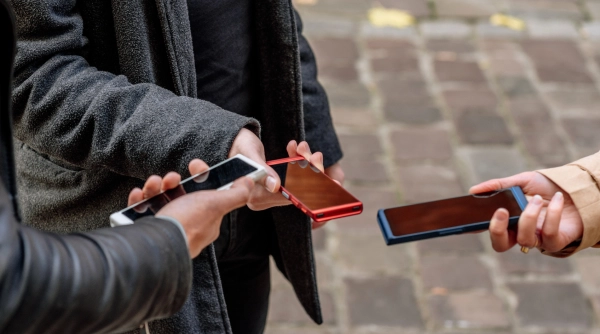
Main of Vasco Translators

Free Connectivity
Use your Vasco translation services in almost 200 countries at no additional cost.

Varaiety of Features
Translate voice, photos, text, and chat efortlessly.
Supports Up to 112 Languages
Coneect with others regardless the language gaps.

User-Friendly Design
Design simple, so everyone can use it.
Choose your model
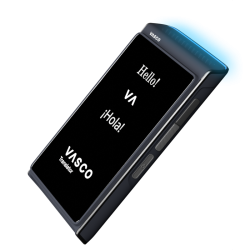
Vasco Translator Q1
The only automatic translator that combines personal voice cloning with live call translation.
Learn more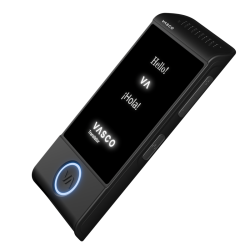
Vasco Translator M4
Simple, lightweight, and easy to use—the perfect pocket translator for anyone, anywhere.
Learn more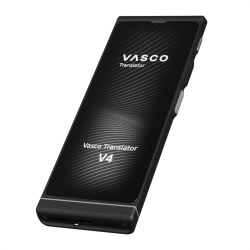
Need More Information?
Feel free to contact us—we’d be happy to help!
Go to contact